
What Is Product Photography? A Complete Beginner’s Guide
Product photography helps you show your product clearly online. It builds trust before buyers touch anything. It also helps shoppers compare details with confidence. You can use it for ecommerce stores, ads, catalogs, and social media. Good product images make your offer easier to understand. They also help your brand look more polished. This guide explains the basics in simple words. You will learn uses, styles, setup, editing, and beginner tips.
What Is Product Photography and Why Does It Matter?
Product photography means taking clear images of products for sales, branding, and marketing. It shows size, color, texture, shape, and key features. You often see it on Amazon, Shopify stores, brand websites, and ads.
Strong images help your customer decide faster. They also reduce doubt before purchase. In my experience, product pages with clean visuals feel more trustworthy. Buyers want proof before they click “buy.” That is why professional product photography matters for online stores, small brands, and growing companies. It helps your product look real, useful, and worth buying.
Product Photography Definition for Beginners
A simple product photography definition is this. It is the process of creating images that sell or explain products. These images can look simple, creative, lifestyle-based, or commercial.
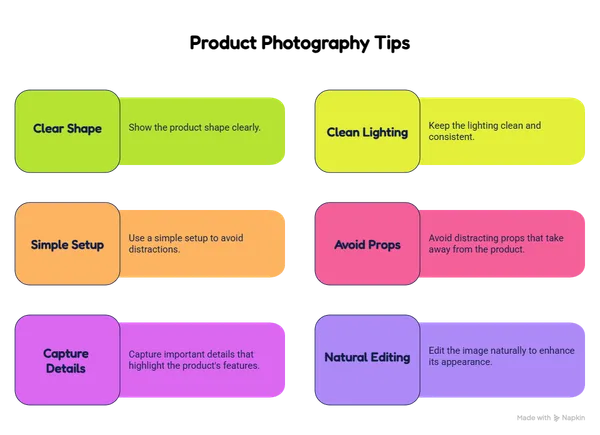
For product photography for beginners, you should focus on clarity first.
-
Show the product shape clearly.
-
Keep the lighting clean.
-
Use a simple setup.
-
Avoid distracting props.
-
Capture important details.
-
Edit the image naturally.
You do not need a huge studio first. You need a clear goal. Think about what your customer must see. Then build your shot around that need. After the shoot, clean editing can improve sharpness, color, and background. ClippAsia can support that stage through Product Photo Editing Services.
Types of Product Photography You Should Know
There are many types of product photography. Each one serves a different buying moment. A plain white image helps shoppers inspect the item. A lifestyle image helps them imagine using it. A detail shot highlights texture, material, or design.
|
Type |
Best Use |
Main Goal |
|
White background |
Ecommerce listings |
Show the item clearly |
|
Lifestyle |
Ads and social media |
Show real use |
|
Scale shot |
Product pages |
Show product size |
|
Detail shot |
Premium products |
Show texture and finish |
You may need more than one style. For example, a handbag brand needs clean catalog images. It also needs lifestyle photos. Clean post-production keeps each image consistent. You can improve image edges with Clipping Path Services when products need precise cutouts.
What Is Product Photography Used For in Ecommerce?
Online buyers depend on visuals. They cannot hold your product. So your images must answer their questions. Clear photos can show quality, use, size, and value.
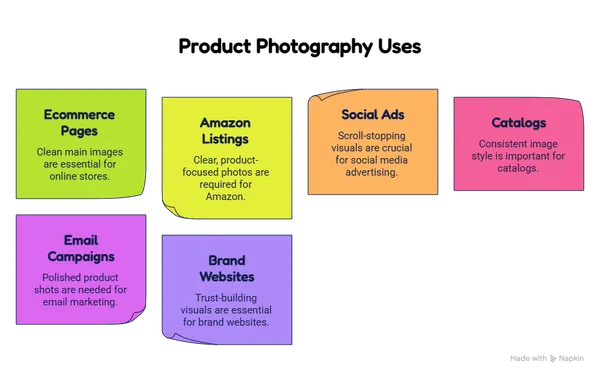
Here are common uses:
-
Ecommerce product pages need clean main images.
-
Amazon listings need clear product-focused photos.
-
Social ads need scroll-stopping visuals.
-
Catalogs need consistent image style.
-
Email campaigns need polished product shots.
-
Brand websites need trust-building visuals.
Your photos should match your buyer’s intent. A fashion buyer wants fit and style. A jewelry buyer wants shine and detail. A furniture buyer wants scale and room context. Better editing also helps. For clean product isolation, you can use Background Removal Services.
What Is Product Photography Background and Why Is It Important?
A product photography background sets the mood. It also controls focus. White backgrounds work well for marketplaces. Neutral backgrounds suit premium brands. Lifestyle scenes help buyers see real-life use.
Your background should never fight the product. It should support the product story. For ecommerce, simple usually works better. For ads, creative scenes can help more. You can test both styles. Then track clicks, sales, and engagement. If your product has hair, fur, glass, or soft edges, Photo Masking Services can make background changes look natural.
Commercial Product Photography vs Basic Product Shots
Commercial product photography focuses on business goals. It does not only show an item. It helps sell a message, feeling, or brand promise. You may use it for ads, banners, print campaigns, or ecommerce launches.
Basic product shots often show simple product details. Commercial shots go deeper. They use better lighting, styling, direction, and editing. A skincare brand may show clean ingredients. A shoe brand may show movement. A watch brand may highlight luxury details. Both styles matter. You should choose the style based on your platform, audience, and sales goal.
Product Photography Equipment for Beginners
You can start with simple gear. You do not always need expensive tools. You need stable light, sharp focus, and a clean setup. Your phone can work for early tests.
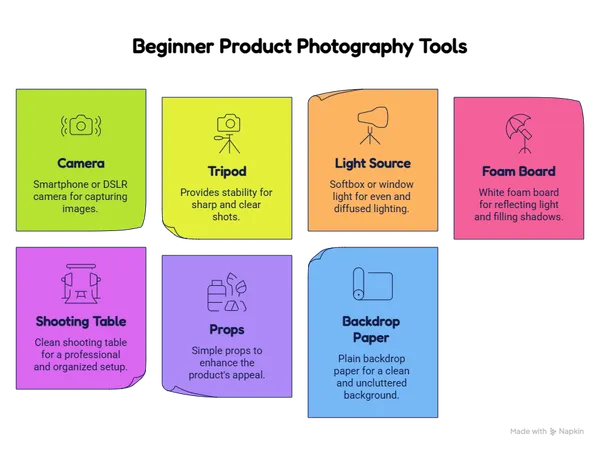
Helpful beginner tools include:
-
Smartphone or DSLR camera
-
Tripod for stable shots
-
Softbox or window light
-
White foam board
-
Clean shooting table
-
Simple props
-
Plain backdrop paper
Start small and improve slowly. Take test shots before a full batch. Check shadows, glare, and color. Product photos often need final polish. For fashion items, Ghost Mannequin Services can create a clean 3D clothing look.
Editing Steps After Professional Product Photography
Editing turns good images into polished assets. After professional product photography, you should check color, exposure, edges, dust, and background. Small flaws can distract buyers. Clean editing keeps attention on the product.
|
Editing Step |
Why It Helps |
|
Color correction |
Keeps product colors accurate |
|
Background cleanup |
Removes unwanted distractions |
|
Shadow adjustment |
Makes images look natural |
|
Retouching |
Removes dust, marks, and flaws |
|
Cropping |
Fits website and marketplace rules |
Never over-edit your product. Buyers expect honest images. Natural polish works best. You can improve product tone and consistency with Color Correction Services.
Best Practices for Product Photography for Beginners
Product photography for beginners becomes easier with a system. You should plan your shots before you start. Create a checklist for angles, backgrounds, props, and file needs. Use the same setup for similar products. This keeps your store consistent. Consistency helps buyers trust your brand. It also makes your website look organized. In my expert view, editing matters as much as shooting. A strong photo can still look weak with poor cleanup. Before publishing, review every image at full size. Check edges, colors, dust, and shadows.
Frequently Asked Questions About Product Photography Services
How fast can you edit product photos?
Turnaround time depends on image volume and editing complexity. Small batches often move faster than bulk orders. You can contact ClippAsia for a custom delivery estimate.
Which file formats do you accept?
ClippAsia can work with common image formats like JPG, PNG, TIFF, and PSD. You can share your required output format before the project starts. This helps the team prepare files correctly.
Do you provide quality guarantees?
Yes, ClippAsia focuses on clean, natural, and consistent results. You can request revisions when something needs adjustment. The goal is product images you can publish with confidence.
Can you handle bulk ecommerce images?
Yes, bulk image processing is available for ecommerce brands. This helps you keep product pages consistent. It also saves time during large uploads.
Can you edit images for Amazon or Shopify?
Yes, ClippAsia can prepare product images for major ecommerce platforms. You should share each platform’s image rules first. The team can then edit images based on those needs.
Final Thoughts on Better Product Images
Better product images help buyers trust your store faster. They explain value without long sales copy. They also support ads, listings, and brand pages. If you sell online, clear visuals should become a core part of your marketing. ClippAsia helps you create clean, polished, and ecommerce-ready images. Visit clippasia.com to explore our services. You can also email info@clippasia.com for project support. To discuss your image editing needs, visit our Contact Page.