
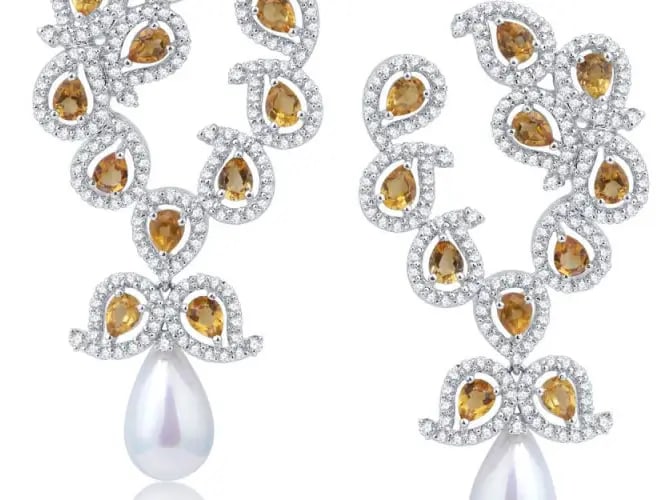
Jewelry Photography Tips at Home – Lighting, Camera Settings & Editing Guide | Clipp Asia
Jewelry Photography Tips at Home: Lighting, Setup & Editing Guide
Author: Md Forhad Hossen – Graphic Designer & Jewelry Retouching Specialist
Jewelry photography is one of the most challenging areas of product photography. Small reflections, shiny metals, and tiny stones make every detail visible. From my daily editing work at Clipp Asia, I can say clearly — good shooting technique saves hours of retouching later.
If you want luxury-style jewelry photos for your e-commerce store or catalog, you don’t always need an expensive studio. With the right setup and lighting, you can shoot professional-looking images even at home.
In this guide, I’ll share practical tips based on real editing and shooting experience.
What You Can Shoot in Jewelry Photography
Most jewelry photography projects include:
- Rings
- Earrings
- Bracelets
- Necklaces
Each item reflects light differently, so small adjustments in lighting and angles make a big difference.
How to Do Jewelry Photography at Home
Before we go into technical tips, here’s what you should prepare:
Jewelry Photography Kit Essentials
- Lightbox or soft light source
- White or black acrylic background
- Reflectors
- Clean microfiber cloth
- Tripod for sharp focus
Keeping everything clean is very important. Dust or fingerprints become very visible when images are zoomed in.
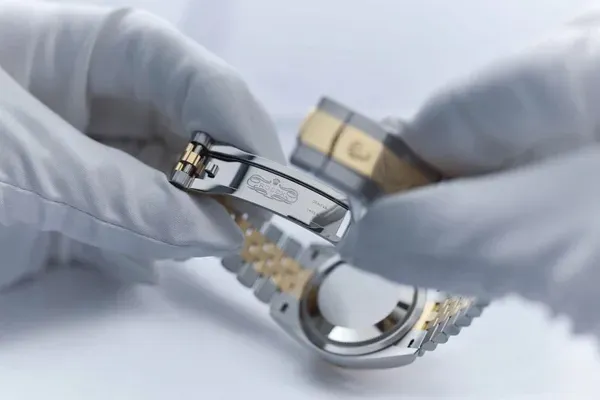
How to Photograph Jewelry (Rings)
Rings are one of the most popular products for online stores. But they are also the hardest to capture because of reflections.
Tip 1: Use a strong soft light on a white background
Soft but bright lighting helps gold and silver look clean. Always take multiple shots with different focus points so the full ring stays sharp.
From an editor’s perspective, sharp images make background removal and retouching much easier.
Tip 2: Adjust ISO for Dark Backgrounds
Gold on black backgrounds looks luxurious, but you may need a higher ISO (around 400 or more). Add extra light inside your lightbox if the image becomes too dark.
Tip 3: Use a paper or a napkin under wax
Many photographers use wax to hold rings in position. Place a thin paper or napkin under the wax to avoid unwanted marks. This saves time during editing because cleaning wax traces can be difficult.
Tip 4: Choose Acrylic Panels Carefully
Black acrylic panels create strong reflections and make jewelry look premium. White panels work best for clean catalog images.
Always clean the surface before shooting — fingerprints are very visible after zooming.
Tip 5: Add Extra Light for Velvet or Fabric Backgrounds
Dark fabrics like suede absorb light. Even at high ISO, images may look underexposed. Adding an extra lamp or reflector helps maintain brightness without losing detail.
Tip 6: Select Colors That Match the Jewelry
Color harmony makes jewelry stand out.
- Gold looks great with warm tones
- Silver works better with cool or neutral backgrounds
Avoid overly shiny fabrics because they create distracting reflections.
Tip 7: Prepare Props Properly
Iron fabrics and remove dust before shooting. A clean background reduces editing time and gives a professional feel.
Tip 8: Shoot Sharp Images for Better Editing
Many photographers worry when RAW images look slightly dark or gray — this is normal. Most jewelry images become perfect during retouching.
However, sharp focus is very important. Blurry edges make jewelry editing much harder and reduce image quality.
Jewelry Photography Lighting Tips (Designer Experience)
Based on my daily retouching workflow, here are the common mistakes:
- Direct hard light is causing strong reflections
- Mixed color temperature making metal tones look wrong
- Dirty backgrounds create extra retouching work
Soft diffused lighting with balanced exposure always gives the best result.
Jewelry Photography with iPhone – Is It Possible?
Yes, modern smartphones can capture great jewelry photos if the lighting is correct.
Tips:
- Use natural window light
- Avoid digital zoom
- Use a small tripod for stability
- Shoot in HDR mode for better detail
Editing still plays a big role after shooting.
Why Jewelry Retouching Is Important
Even perfect lighting cannot remove:
- Dust particles
- Fingerprints
- Micro scratches
- Uneven reflections
Professional jewelry retouching helps create luxury-quality product images while keeping them realistic.
Jewelry photography takes patience, but with the right setup, anyone can create stunning images at home. Focus on clean surfaces, soft lighting, and sharp focus first — editing becomes much easier later.
From my real experience as a designer, the best jewelry photos are not created by expensive equipment alone, but by controlled lighting and careful preparation.